


[Updated April 20th, 2026]
Why is it Important to Post on LinkedIn?
Whether you’re sharing LinkedIn post examples, creative LinkedIn posts examples, or experimenting with new LinkedIn posts examples, regular posting can have a big impact.
Here’s why regular LinkedIn posts matter:
✅ Increase Brand Awareness – Sharing valuable content keeps your business top-of-mind and helps more people discover what you do.
✅ Expand Your Network – Engaging posts encourage conversations, attracting new connections and opportunities.
✅ Build Trust and Relationships – Consistently sharing insights and experiences positions you as an expert and strengthens relationships with your audience.
By posting regularly and using a mix of LinkedIn post examples, you create a strong LinkedIn presence that helps you stand out and attract the right people to your business.
LinkedIn Post Best Practices
To make the most of your LinkedIn posts, follow these best practices:
🔹 Start with a Hook – The first few lines should grab attention and make people want to read more.
🔹 Provide Value – Share insights, tips, or experiences that help or inspire your audience.
🔹 Use Formatting Wisely – Break up long text with short paragraphs, bullet points, and emojis to improve readability.
🔹 Encourage Engagement – Ask questions, invite opinions, or add a clear call-to-action to spark conversations.
🔹 Mix Up Your Content – Combine text posts, images, videos, and polls to keep your audience engaged.
🔹 Be Authentic – People connect with real stories and honest perspectives, so let your personality shine.
With these strategies, your LinkedIn posts will be more engaging, effective, and impactful in building your professional presence.
The Best Examples of Good LinkedIn Posts
With a community exceeding 900 million professionals, LinkedIn is a must-have for small business owners and startup founders looking to reach new clients and convert prospects.
After founding 100 Pound Social in 2017, my biggest challenge was to reach potential clients and convince them to invest in our low-cost social media marketing service.
LinkedIn is a goldmine and played a crucial part in the bootstrapped strategy (without paid ads) that allowed me sign up 30 clients in 100 Pound Social’s first month.
As well as facilitating private interactions and approaches via the LinkedIn Inbox (and Sales Nav – which is well worth the investment.), a well-written, thought-provoking post can quickly be shared through your network, drawing attention to your expertise and services and opening doors to new partnerships and opportunities.
This post explores the DNA of a ‘good post’, shares some of my favourite great LinkedIn post examples, and touches on related strategies to help new entrepreneurs and emerging businesses to grow sales. If you want to jump to a particular section, use the links in the Table of Contents above.

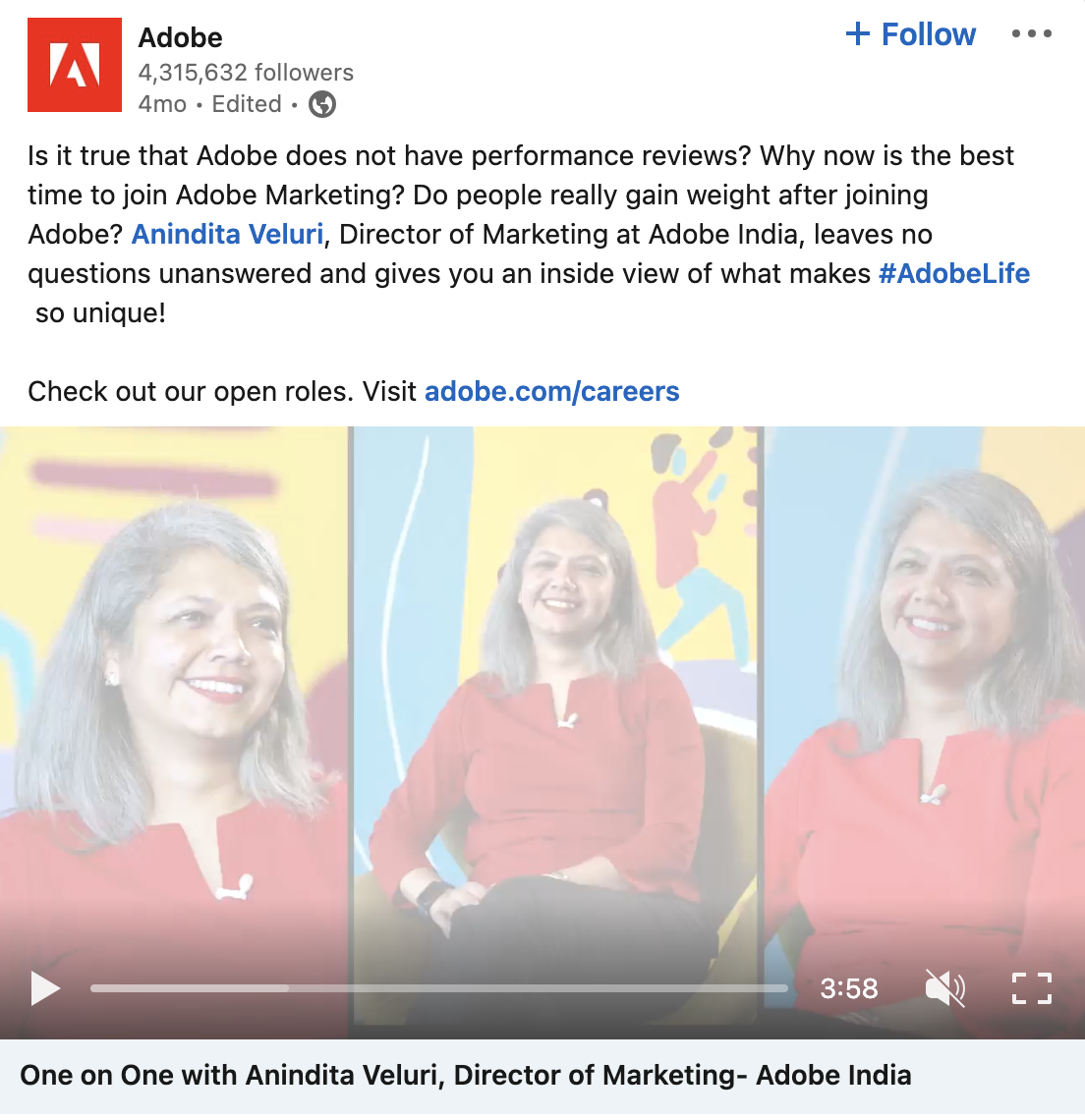
Be Creative – Good LinkedIn Post Example #1
Creativity on LinkedIn is about combining professionalism with a personal touch. Creative LinkedIn posts should break away from the conventional, offering fresh perspectives or presenting ideas in innovative formats.
For instance, instead of a standard post about company values, you might share a creative infographic or a short, engaging video that brings those values to life.
Critical elements of a creative LinkedIn post include:
- A catchy opening line to grab attention
- A mix of media, such as infographics or videos
- A fresh perspective or innovative ideas
- A call-to-action that invites interaction or further reading
This approach helps to draw attention and encourage engagement, as it stands out from the usual text-heavy posts. However, it’s essential to remember that creativity shouldn’t come at the expense of clarity – your message must remain clear and relevant to your professional audience.
For inspiration on incorporating creativity into your LinkedIn posts, check out this blog on LinkedIn posts for boring businesses, which offers insights on making even the most traditional industries shine on social media.
Source: Adobe
Ask Questions – Good LinkedIn Post Example #2
Engagement on LinkedIn isn’t just about broadcasting your message; it’s a two-way street. Asking questions is a brilliant strategy to encourage interaction with your audience.
It invites your network to share their expertise, opinions, or experiences, creating a sense of community and collaboration. People like to know that their opinion matters.
The key to success with questions is striking a balance between relevance and thought provocation. Your questions should be pertinent to your industry and address your audience’s current trends or challenges. This could range from asking for insights on emerging technologies to seeking opinions on industry news.
Asking questions isn’t just a tactic to increase comments; it’s a way to gain valuable insights from your audience and can inform your content strategy moving forward. You might uncover common pain points that your products or services can address or discover topics for future posts that your audience is eager to read about.
Data Visualisation and Infographics – Good LinkedIn Post Example #3
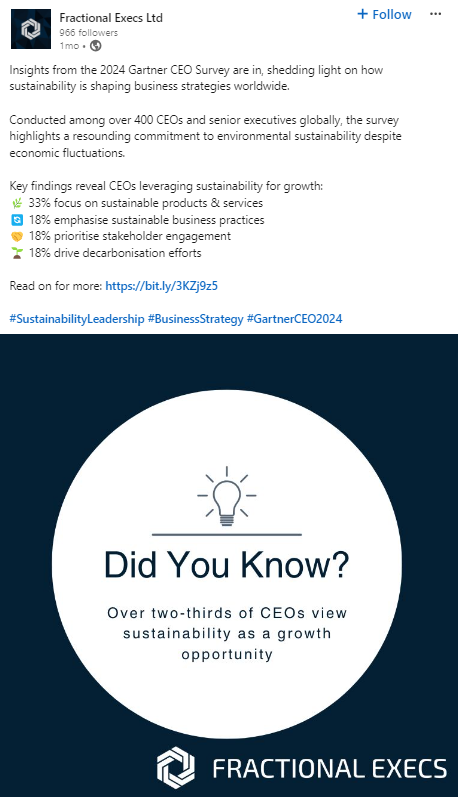
Sometimes, large figures are difficult to understand. If you show a graph with lines and bars, it is much easier for people to understand what they’re looking at. This is called an infographic. Your prospective clients are busy, they probably don’t have time to read long pieces of text. They would rather look at a picture that demonstrates how your service can help users save money or perform more efficiently.
When you share a graph, you’re showing your prospective clients that you have done the research and have proof of what you’re talking about. A good chart should be tidy and easy to understand. Make use of charts to create a narrative with the data. For instance, show a “before” and “after” bar. It makes your company appear as an expert that clients are able to trust.
100 Pound Social can also create eye-catching infographics like this:
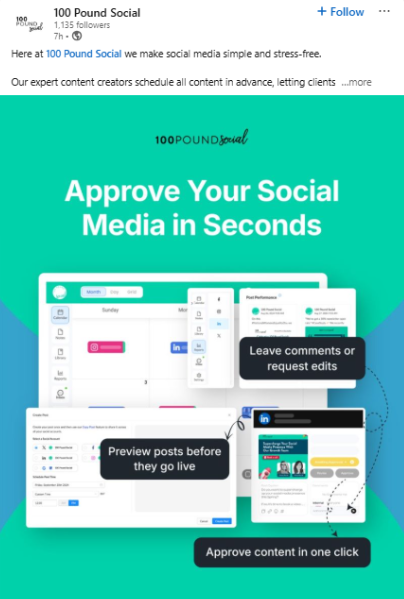
Give customers the spotlight – Good LinkedIn Post Example #4
Your business does not just revolve around you. It is about the people you work with. It’s important to share clients’ achievements with the world. This is an excellent way to establish a lasting connection. It makes them feel that you care about their growth.
Upload a picture of your customer or discuss the big win they have achieved. It can make other businesses think, “I want to work with someone who cheers for me like that.” This is a great method to show that you are truly working together.
Showcase Your Achievements – Good LinkedIn Post Example #5
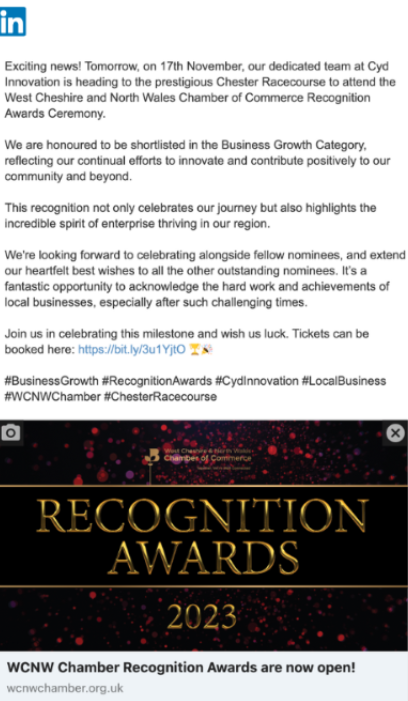
Celebrating your business’ successes on LinkedIn is not just about self-promotion; it helps to build credibility and attract more clients or partnerships.
Whether it’s a milestone reached, an award nomination, or a successful project completed, sharing these moments can illustrate the concrete results of your skills.
Remember to use a tone of gratitude and humility, thanking clients, team members, or partners who contributed to the achievement. This approach creates a sense of community and encourages others to join in the celebration.
Share a product or service update for specific audiences – Good LinkedIn Post Example #6
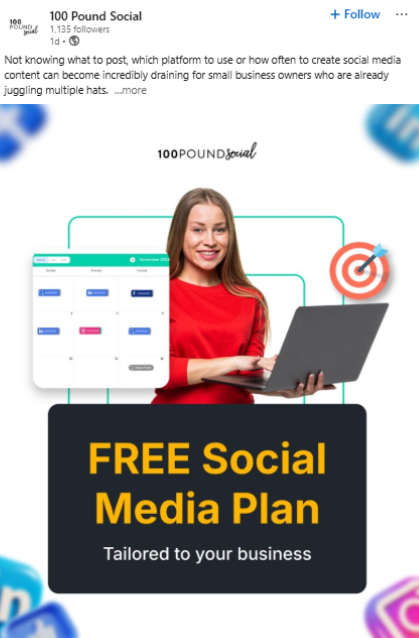
There are some tools which are not appropriate for every company. Sometimes, you need to create improvements that are ideal for just one type of business, like a legal firm or construction company. It is preferable to make a post solely for your specific audience.
Instead of talking to everyone, concentrate on a specific group of people. Use words they are familiar with. Inform them how your latest update solves a challenge they deal with every day. If the client believes that you are talking to them, they’re much more likely to engage with your offerings.
Engage With Polls and Surveys – Good LinkedIn Post Example #7
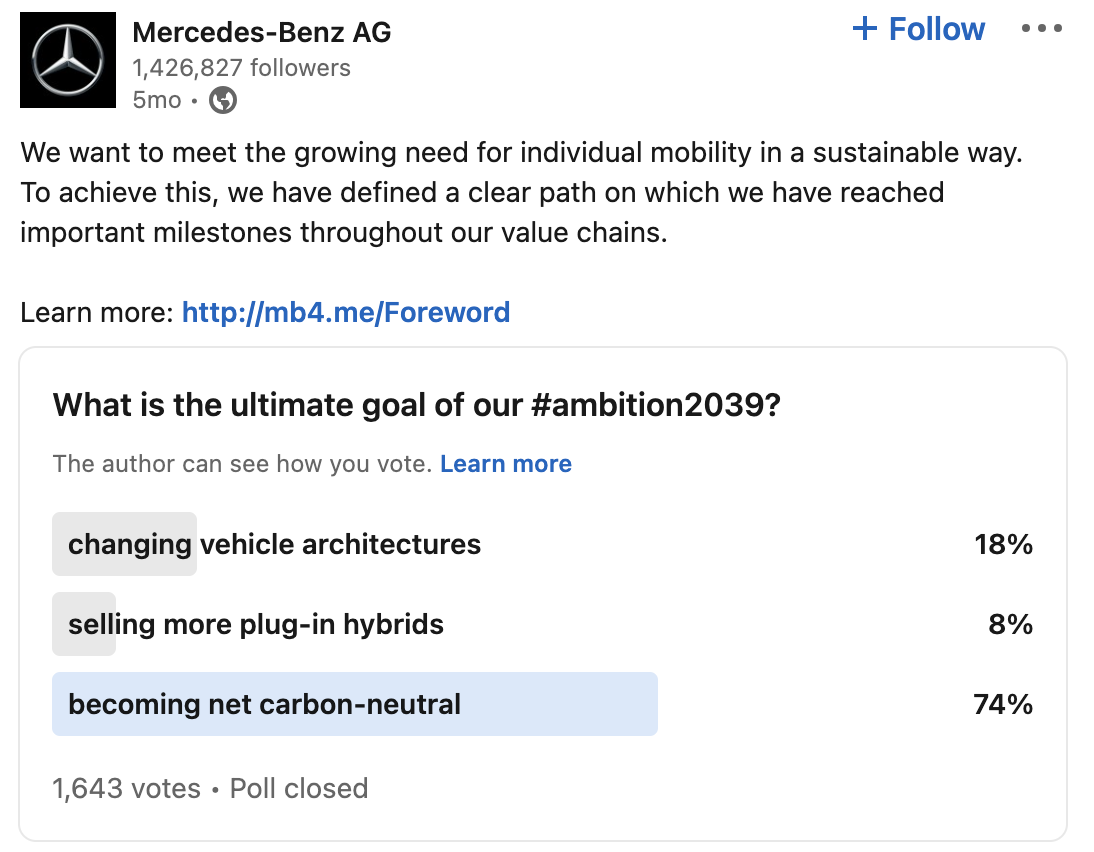
LinkedIn polls and surveys are great interactive tools for creating engagement and providing insights into your audience’s preferences and opinions.
The best polls involve your audience and spark conversations and debates.
When creating a poll or survey post, ask a question that is relevant to your industry and encourages your audience to think and respond. The options should be clear and distinct to gather meaningful data. Here are some examples:
| Poll Question Type | Example Question | Expected Insight |
| Industry Trend | “Which emerging tech will impact our industry the most in 2023?” | Gauge industry foresight |
| Product Feedback | “Which feature do you value most in our new product lineup?” | Direct product improvement |
| Event Feedback | “What topics would you like covered in our next webinar?” | Tailor events to your audience’s needs |
| General Opinion | “What’s the biggest challenge for professionals in our sector today?” | Understand common industry challenges |
Source: Mercedes-Benz USA
Show Off Company Culture – Good LinkedIn Post Example #8
Sharing your company culture on LinkedIn can attract potential employees and clients by giving them a glimpse of your work environment and ethos.
Posts that highlight team events, behind-the-scenes moments, or community involvement portray a more positive and relatable image of your company.
Authentic stories and images of your team not only humanise your brand but are also a great opportunity to celebrate the diversity and individuality of your staff.
These human moments often leave a lasting impression, making your company not just a place to do business with but a warm community to be a part of.

Source: Laura Hadley
Share a post with your thoughts – Good LinkedIn Post Example #9
In the world of business, the majority of people buy from those they admire and trust. You don’t always have to be promoting your services, sometimes you can share your thoughts about an article in the news or a shift in your industry.
You can write about an experience that you have learned or an error you made. Being honest makes you feel real. Clients prefer working with real people, with real opinions.
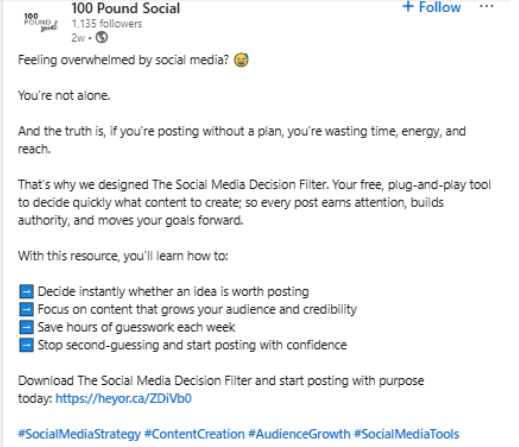
Share Customer Feedback – Good LinkedIn Post Example #10
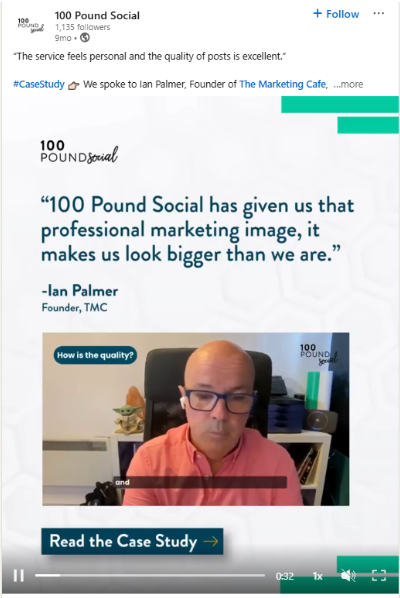
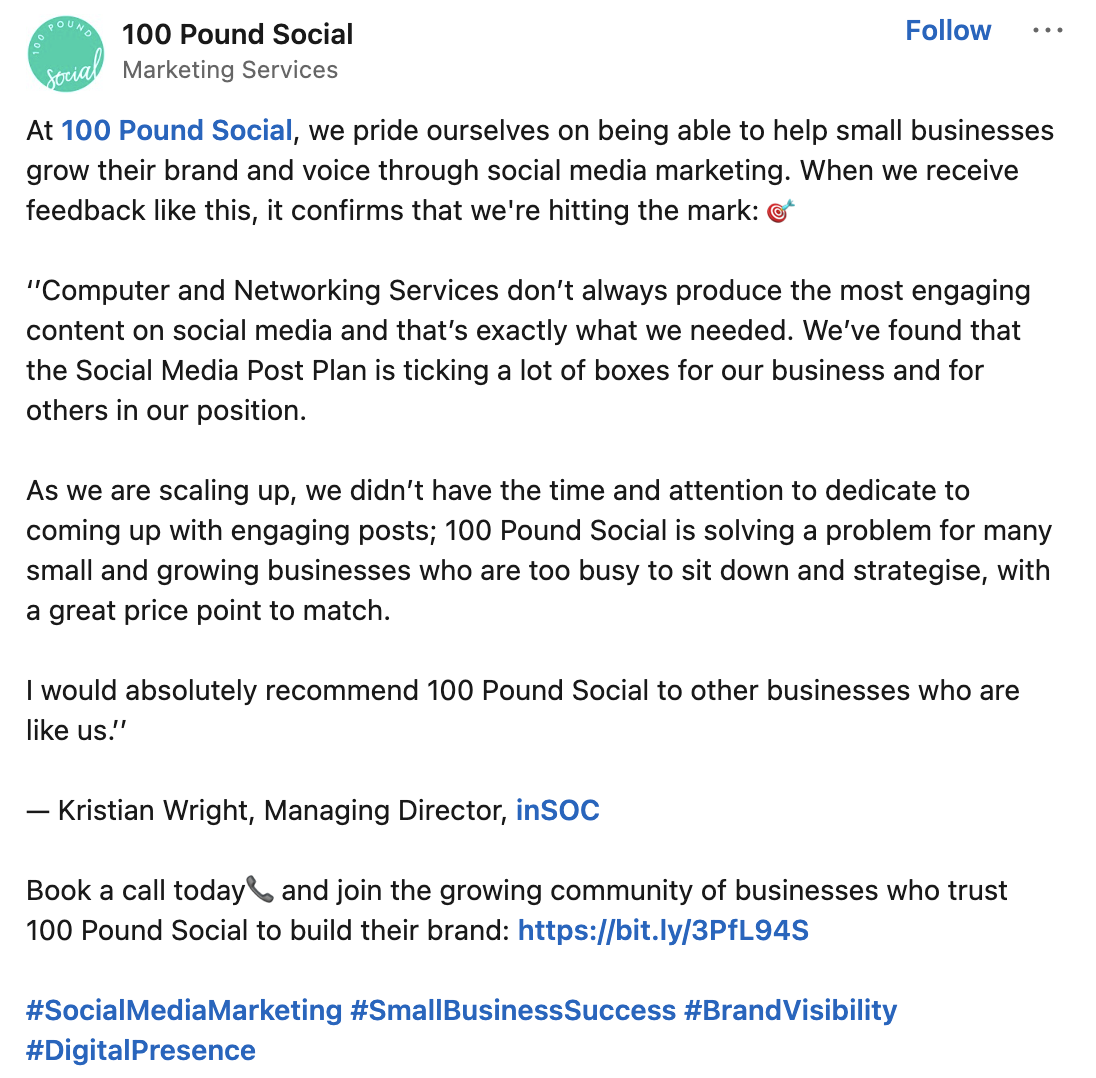
Client feedback is invaluable; it offers insights into your performance and acts as a testament to your company’s commitment to satisfaction.
Highlighting positive feedback on LinkedIn will help boost your credibility and, more importantly, show potential clients the quality they can expect from your services or products.
Create a post sharing a positive review or a series of testimonials. Ensure you tag your client and thank them for their feedback.
Share different visual content formats – Good LinkedIn Post Example #11
Do not just write a few words every day. It’s boring! LinkedIn allows you to share PDFs, videos and large images. Try all of these. A brief video of you could perform a lot better than an email with a long message.
If you’ve got a huge report, convert it into an image that users are able to click on. This will help turn your content into a must-read, and keep you top of mind when prospects are ready for your services.
Create Carousel Posts – Good LinkedIn Post Example #12
Carousel posts are a great way to share information in an engaging, swipeable format. They allow you to break down complex ideas into bite-sized slides, making them easy to digest and visually appealing.
🔹 Why It Works: Carousels encourage interaction as users swipe through each slide, increasing time spent on your post and boosting reach. They are among the best creative LinkedIn posts examples for delivering value in an engaging way.
🔹 What to Include: Step-by-step guides, key takeaways from a blog, industry trends, or a behind-the-scenes look at your work.
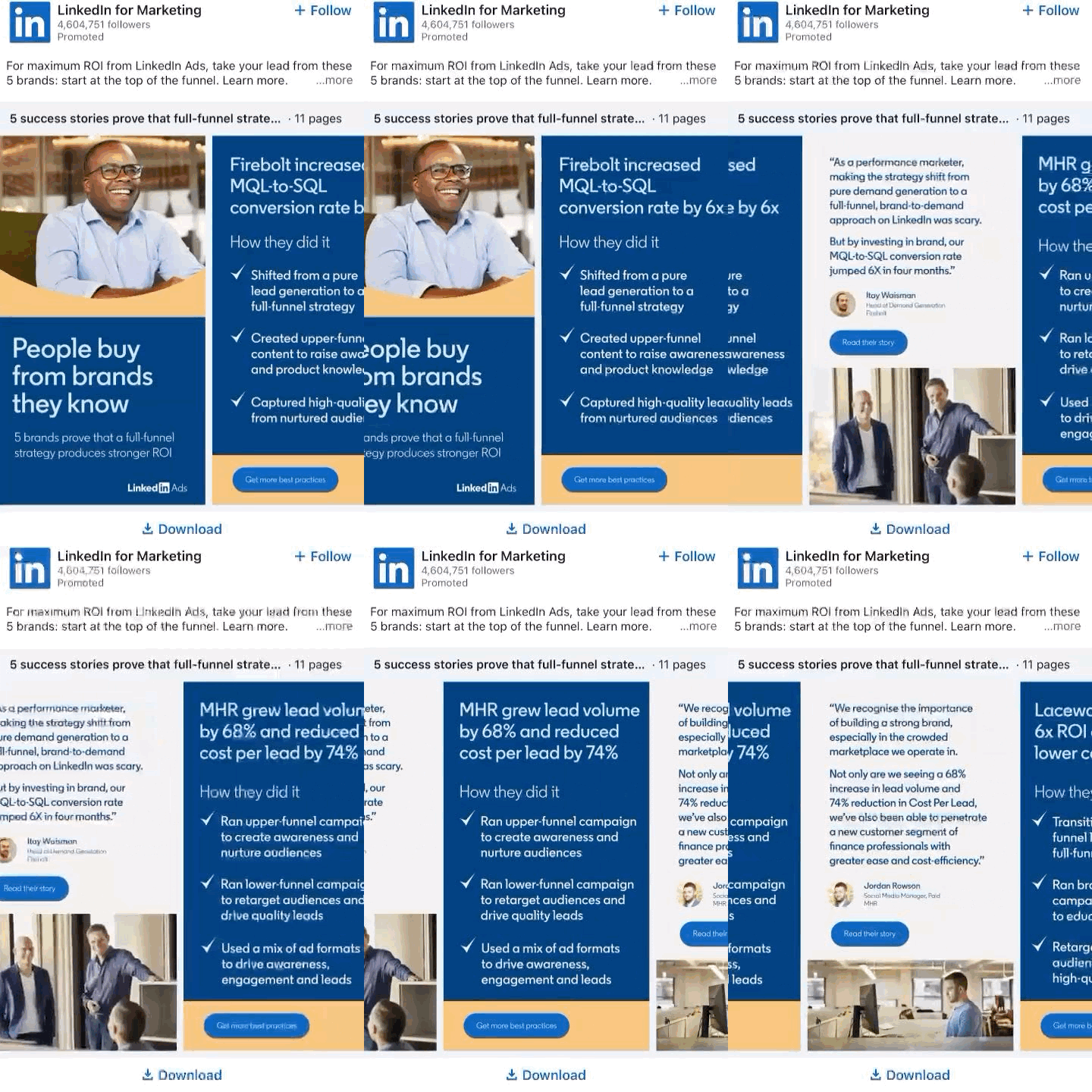
This type of LinkedIn post example works well because it delivers value while keeping your audience engaged. Try creating one with key insights from your latest blog or client success story!
Create a Newsletter for Your Audience – Good LinkedIn Post Example #13
LinkedIn newsletters are a powerful way to build a loyal audience and keep them engaged with regular, high-value content. Subscribers get notified each time you publish, increasing visibility and strengthening your credibility.
🔹 Why It Works: Unlike a one-off post, newsletters allow you to consistently share expertise with an interested audience, positioning you as a go-to resource. This makes them one of the best LinkedIn posts examples for long-term engagement.
🔹 What to Include: Industry insights, how-to guides, thought leadership pieces, or exclusive content not found elsewhere.
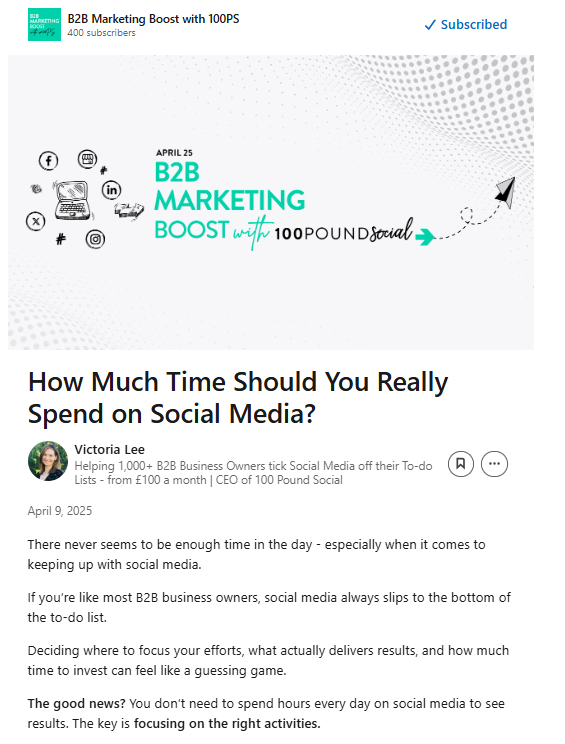
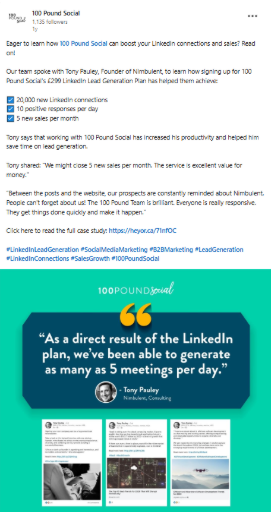
Share a Case Study or Client Success Story – Good LinkedIn Post Example #14
A case study tells a story of how you dealt with the issue. The first step is to discuss the issue that your client faced. After that, you explain how you helped. Then, you present the amazing outcomes.
This is a great method to show that you’re successful at what you do. Other companies will read it and realise that you’ve successfully solved similar problems to theirs. It eliminates any possible anxiety that comes with hiring you.
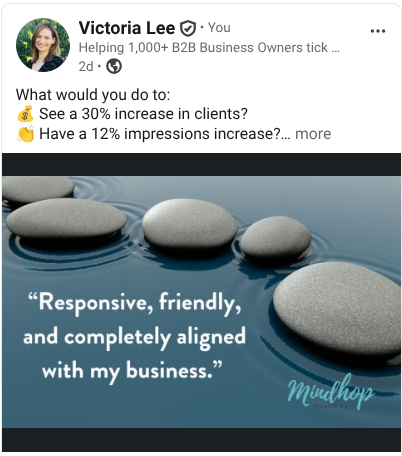
Discuss Industry Insights and Market Trends – Good LinkedIn Post Example #15
Sharing your thoughts on relevant industry insights is an excellent way to position yourself as a thought leader on LinkedIn.
When you discuss industry insights, you’re not just sharing information; you’re providing your unique perspective on what’s happening in your field, which can establish your expertise and help you build trust with your audience.
Tips to consider:
- Begin with a bold statement or current trend in the industry
- Back up your insights with recent research or data
- Share personal anecdotes or case studies to illustrate your point
- End with a thought-provoking question to engage your audience
When writing these posts, the key is to add value by offering analysis or commentary that isn’t readily available elsewhere.
You also might begin with a statement that challenges conventional opinions, such as: “Most believe market X is declining, but here’s why it’s actually on the verge of transformation.” These posts can open the floor to discussion and debate, encouraging engagement from your network.
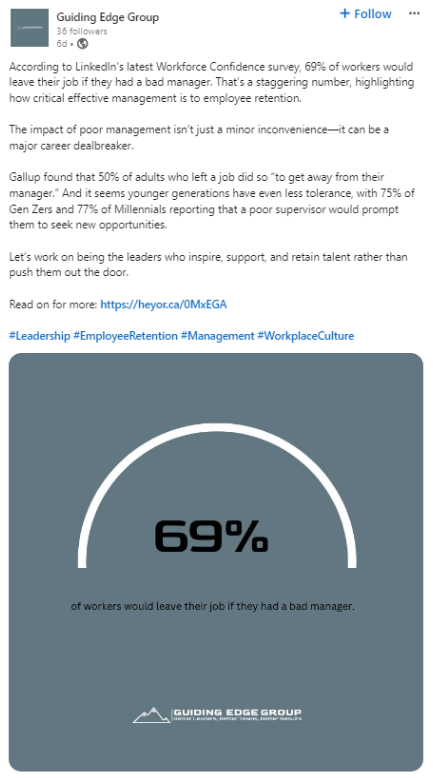
Share Thought Leadership or Expert Opinion – Good LinkedIn Post Example #16
The term “thought leader” means you have ideas that alter the way people think. You’re not just being a follower of the crowd. You are in the forefront. You can share a major idea that nobody else is discussing.
This is vital for B2B. When a client spends lots of money with you, they need to believe that you’re the most knowledgeable individual in your area.
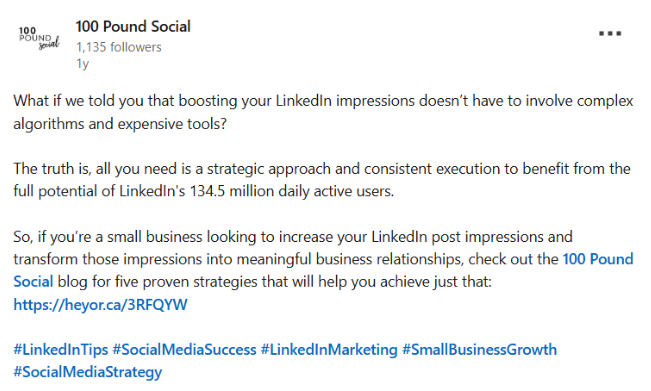
Break Down a Process or Framework (Step-by-Step) – Good LinkedIn Post Example #17
The business world can be confusing. It is possible to make it easier for your readers. Select a challenging job and break it into smaller steps.
People like lists because they are simple to follow. Clients will appreciate your help and see that you truly know what you are doing. This makes your company appear effortless to use.
What Not to Post on LinkedIn
LinkedIn is a professional platform, so treat it like one. It’s not the place for holiday snapshots or a play-by-play of your morning routine.
Here’s what to steer clear of:
- Heated arguments: Disagreements happen, but keep them respectful and constructive.
- Being too salesy: People will lose interest if you’re not offering any value. Aim to inform, help, and engage.
- Unverified information: Sharing inaccurate or misleading content damages your credibility. Take a moment to fact-check before you hit “post.”
- Overly personal posts: While authenticity matters, LinkedIn isn’t the place for deeply personal or unrelated life updates. Keep your content relevant to your professional presence.
A simple rule of thumb: if you wouldn’t say it in a room full of colleagues and clients, it doesn’t belong on LinkedIn.
How to Make Your LinkedIn Posts Stand Out
Here are some tips for you to follow to stand out on the busy social media platform:
- Make sure you have a “hook”: The first sentence has to be captivating, so that people will be enticed to read on.
- Tag individuals: If you talk about a client and mention their name, tag them to make sure they know about it, they can then share your post.
- Engage: If someone comments on your post, make sure you reply. This helps build relationships.
- Utilise white spaces: Don’t make your post a huge paragraph of text. Keep it punchy and eye-catching.
- Be useful: Always ask yourself, “Does this post help my ideal clients?” If yes, then you should post it!
Done-For-You LinkedIn Posts
LinkedIn is a non-negotiable for B2B companies. From its vast network of professionals to its focus on business networking, the platform is integral for brand building and engagement.
It can significantly boost your ability to get in front of your clients and prospects. By incorporating the tips above, you can quickly establish thought leadership, expand your reach, and enhance your credibility.
If you want to read more on the benefits to B2Bs of a solid LinkedIn presence, click here.
You can read every tip on the internet (and there are many!), but we understand that maintaining a consistent and professional LinkedIn presence is time-consuming and challenging.
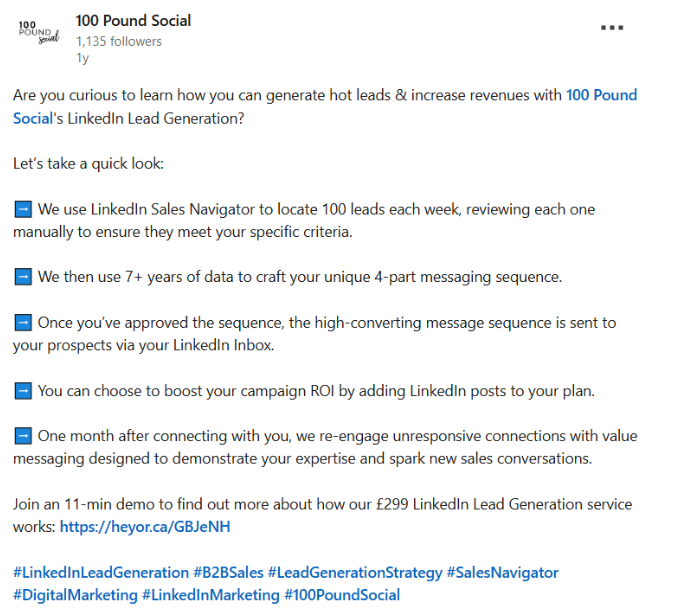
The 100 Pound Social team specialise in creating personalised LinkedIn posts that perfectly capture your brand’s voice, saving you time whilst enhancing your online presence. Our plans start at just £100 per month.
We work with small businesses across a range of B2B industries, implementing and improving their social media content strategy.
Our Social Media Posts Plan (from £100 a month) can help you with:
- Post Creation: Create and publish thought leadership posts for your personal LinkedIn profile, according to your preferences and topics.
- Trust & Brand Awareness: Become known for thought leadership with regular LinkedIn posts crafted for you.
- Traffic & Connections: You will be able to increase your LinkedIn profile views and web traffic due to regular posting.
If you like to learn more, please book a call.