

“Let’s just create an email newsletter!”
Although email newsletters can be excellent tools for interacting with your clients, creating an outstanding one requires more than sending just a couple of lines of text every week. In this article, we’ll help you learn how to create a newsletter and keep your readers interested.
Let’s get started!
Why Newsletters Win

Newsletters are a great method to remain relevant to your target audience. By sending regular emails, you keep your readers focused on your company and what products and services could benefit them. They’re targeted, personal, and regular.
A well-designed email marketing newsletter ensures constant traffic to websites, registrations for events, and product sales. But when researching how to create a newsletter, you’ll soon realise they are only efficient if they are well constructed and flawlessly executed, which is easier said than done.
Many marketers believe that creating interesting newsletters is about filling them with a lot of information, but we’ve seen plenty of newsletters that attempt to cover too many things. When product updates are placed between blog posts and other advertising, the newsletter loses its main purpose.
Readers must know what the newsletter is about when they first read the headline. After opening it, they should be able to quickly discern what they need to focus on and which calls to action (CTAs) to take.
If not, you won’t see an increase in engagement and open rates. If that’s the situation with your newsletter, you might need to take a step back and consider why it isn’t engaging your readers.
Done-For-You Expert Newsletter Content, From Just £125/mo →
Good Newsletter Rules
Think of an email you recently read. What made you want to go through it?
Email marketing is ultimately about revenue. More subscribers should result in increased revenue. To understand how to create a newsletter, it is essential to ensure that your newsletters are based on three fundamental aspects:
- It is directly connected to the reader’s work, interests, or topics they care about.
- It is entertaining and educates the reader.
- It offers readers something they can use.
Without these elements, your newsletter will not attract a steady and active audience.
How to Create a Newsletter

We’ve made learning how to create a newsletter easier, by breaking the process into six simple steps.
1. Plan Your Goals
Designing a newsletter without planning can lead to content that doesn’t actually achieve any results for your business.
It’s easy to get lost in the details you’d like to include in a newsletter. However, once you consider your business requirements and your audience’s needs, it becomes clearer.
Determine Your KPIs For Marketing
In the current economic climate, every marketing strategy must be analysed for its impact on overall business goals. Review your marketing strategy and outline how your newsletter can help achieve your objectives.
For most companies, increasing revenue is the top priority. Newsletters are an effective way to retain clients and move them down the sales funnel toward a purchase.
Understand Your Audience
Before you splash images and colours onto the template for your newsletter it is important to know the audience you are targeting.
Is your site geared toward a specific segment, or is your audience diverse? Age, place of residence, gender, industry—there are many information points that create a picture of your ideal client.
A buyer persona is a useful marketing and sales tool that helps you visualise a fictional character representing your ideal customer. Keep this image in mind when making decisions. Ask yourself, “Is this right for my audience?”
Find an Inspiration
It’s worth checking what your competitors are doing and seeing if there are any successful ideas that would work for your business too.
In addition to looking outside for inspiration, review past campaigns that performed well and take notes. You likely have strong examples already. Reach out via social networks if you’d like to share an email campaign you’re proud of.
2. Collect All Your Content
Once a user receives your newsletter, the reader must recognise your brand right away, or they’ll hit the unsubscribe button or, worse, mark it as spam. Being bombarded with unwelcome emails can lead to strict scrutiny.
To build trust immediately among your clients, you must ensure every element of your branding is apparent when they open it.
This includes colours, logos, and typography. These create a feeling of familiarity that remains consistent across web pages, apps, and other marketing collateral.
Keep in mind that subscribers stay subscribed because of the value they get from your newsletters. Having a content marketing plan in place forms the basis of any successful newsletter.
The content of newsletters can include:
- Articles
- Reports
- Press releases
- Videos
- Webinars
- Podcasts
- Case studies
- Quotes
Each part of your business has something worth sharing.
Content calendars are an excellent way to plan and stay on top of what you publish so you won’t suddenly run out of ideas.
Let Us Take Social Media Off Your Plate From Just £100/mo →
Select Powerful Images For Creating an Email Newsletter
There’s nothing more appealing than a headline image in a newsletter. This space above the fold is where visual elements truly shine.
But images can increase the overall size of an email and ISPs may flag images as spam if the ratio of text-to-image is too skewed towards the latter.
3. Choose a Clear Layout
Newspapers have a carefully planned format that places the most relevant news first, followed by sports at the back and lighter content in the middle. Use an informational hierarchy in your newsletter to match your business goals.
Select the Template For Your Newsletter
Creating a newsletter without a template is similar to baking a cake without a recipe. It involves trial and error and can take a significant amount of time. This is why most marketers opt for pre-designed email newsletter templates.
Templates do not have to be the final product; but they provide a solid foundation. You can customise templates by removing or adding sections that match the type of content you’re providing.
Choose a Minimalist Layout
Attention spans in the modern age are becoming shorter which means that time is the most important factor. It is likely that you will lose readers’ interest if your newsletters feature several three-column sections. A page of text and images will probably lead to your readers hitting the back-click and unsubscribing.
We recommend keeping things simple and user-friendly with a one column layout. The minimalist layout is adaptable to mobile devices, and keeps the attention of readers on the most important messages.
Make Sure You Have Plenty of White Space
In the design world there is a rule that less is more, except when you’re dealing with white space. White space refers to any area that is not occupied by objects such as text, images and buttons. This includes blank backgrounds and spaces between sections and any other space that is not occupied.
Space in the newsletter makes it look more visually appealing and also helps the reader process information better. In reality, we can actually direct the eye down the visual “yellow brick road” by creating more white space around every article or word.
4. Combine Your Design Pieces
Now you’re ready to build your newsletter. Before finalising the layout, pay attention to the three essential elements that create a strong newsletter.
Pick a Colour Scheme
Colours are frequently referred to as the emotions that drive design. Although it can be tempting to choose vibrant colours to attract attention or provoke responses, you shouldn’t depart from your company’s colour scheme.
If you plan to include large photos, keep colours simple. Too many conflicting colours can harm accessibility. Most magazines use colours sparingly. It’s common to see white backgrounds with subtle colour accents in the footer, header, or dividers.
Calls to action (CTAs) are most effective when they contrast with the primary colour. For example, if your brand colour is blue, orange CTA buttons will stand out. CTA buttons should be the main element that draws attention.
A company newsletter can be described as an opportunity to draw clients to your site. The content you write should grab the attention of your readers with an enticement, be concise enough not to divulge too much information and encourage the reader to click through for more.
The placement of CTAs directly affects the click-through rate. It may seem logical that adding lots of CTAs would generate more clicks, but that’s not the case.
The principle behind good design is again, less is more. A lot of links can lead to the inability to make an analysis and, consequently lower engagement in general.
What if you have lots of new articles to share? In this case you must curate content according to your business objectives and the value they offer for readers, and perhaps consider a more frequent publication.
5. Test Your Email For Errors
There are times when you’re in a rush to send a newsletter, that you miss the more important aspects. The fifth step is about zooming in and ensuring that your newsletter is displayed properly across all devices, inboxes, and accessibility readers.
While newsletters are often created for large screens, most users read emails on smartphones. Responsiveness refers to how well your newsletter adapts to different screen sizes.
The tips we’ve already covered help with responsive design. Single column layout, font size smaller, less CTAs and optimisation of images and so on. It’s time to test them.
After you’ve completed a design, you can view the design using a simulation desktop and phone view with your email provider. It’s not as accurate as real-time testing of emails but it provides a general overview about the overall design.
Another method to do this yourself is to send an email test via your Gmail account, as it is the most used email client. Outlook is the most suitable test, especially when you are operating within B2B. Email Preview tools allow you to test across different platforms and clients without leaving the application.
There are many accessibility testing tools available to ensure your emails are accessible to all users.
6. Send it to Your List
Now it’s time to hit the send button! From a design perspective the most important portion of our journey is completed but there’s always an opportunity to improve.
There’s a rich collection of campaign data stored in the stats of your email service provider’s dashboard. However, none is more valuable than a heat or click map. This map visually reveals which calls-to-action (CTAs) users clicked on throughout your newsletter. You can use this tool to determine the reader’s preferences.
However, how do you know whether they clicked because of design, content, or both? By tracking click maps across multiple newsletters, you can identify patterns in engagement.
For example, if your heat map consistently shows low engagement at the bottom of your emails, it may indicate that readers prefer shorter, more direct content.
Iteration is a powerful process for newsletter design as it helps safeguard what works and ensures that everything is consistent to readers, and identifies opportunities to improve. Through analysing your top and most effective CTAs you can come up with new ideas for design as well as A/B test the concepts with a small sample of readers.
Grow Your Subscriber Base
The growth of your newsletter’s subscribers is crucial to get your message out and interact with your readers. Here are some ideas to get you to where you want to be:
- Make sure you have an email list. The first step in growing your subscriber base is to create an email database. Make sure you have the sign up form on your site and other social platforms. Provide incentives for signing for a subscription, like a useful resource or informative article.
- You can also promote your newsletter via your social media channels and collaborate with other creators of content and guest post on other blogs.
- Analyse and track your newsletter’s performance: to determine the performance of your newsletter, it is essential to monitor and examine your metrics. Utilise tools like Google Analytics or Mailchimp to track your open and click-through rates, as well as the growth of your subscribers.
The Next Newsletter Era
While the majority of people still browse newsletters through their inboxes on email, web platforms such as LinkedIn provide something that email simply cannot provide—visibility. The new generation of newsletters is personal, multi-channel and driven by data. It’s important to integrate the power of automation with authenticity, and use email to build a web presence and to track each step.
Final Thoughts
Now you have a clear idea of how to create a newsletter. Newsletters are a fantastic way to interact with your clients, increase your brand’s reach and boost sales. They are a vital component of a successful marketing strategy.
The creation of a newsletter is an effective method of communicating with your readers, promoting your company and establishing connections with employees and subscribers alike. With a thoughtful design, engaging information and a clear goal the readers will look forward to reading your newsletter.
Next Steps
At 100 Pound Social, our UK-based team specialises in creating email content that’s consistent, on-brand, and genuinely helpful. We work with businesses across various B2B industries to produce newsletters that get opened, read, and acted upon—like recruiter Orange Malone’s impressive 50% open rate.
Ready to take the guesswork out of your newsletter strategy?
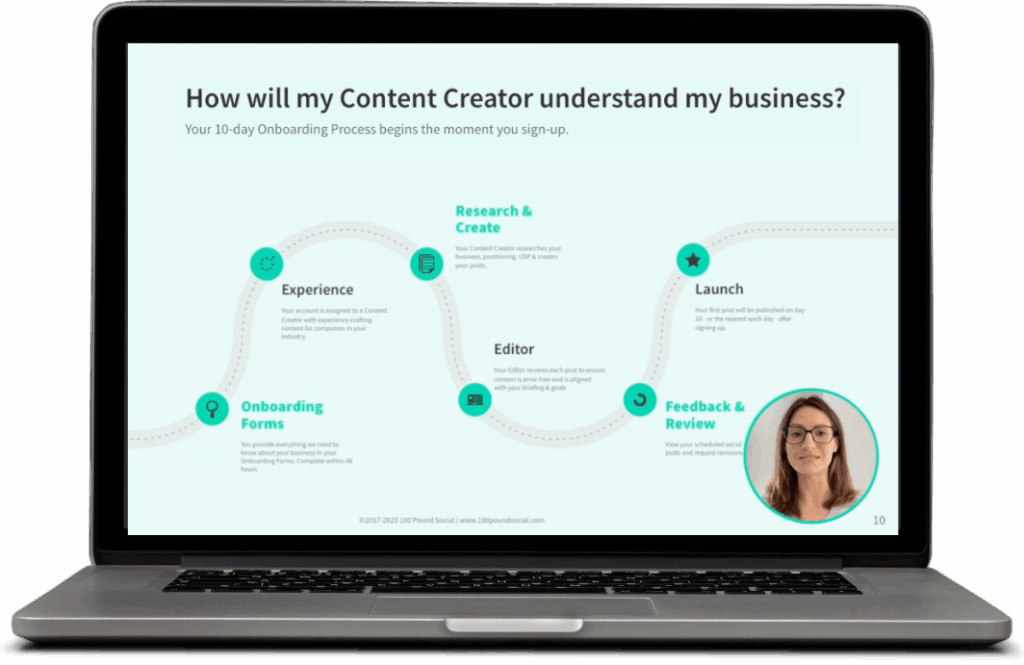
Join a free 15-minute demo to find out how we can help you create content that keeps your audience engaged and looking forward to your next email.