

Data is undoubtedly among the most valuable assets available to a B2B marketer. It is crucial to gain insights into your B2B business.
As the world’s largest B2B platform, LinkedIn has its own analytics environment. LinkedIn analytics data can provide insight into the performance of your content, as well as the demographics of your audience, including gender, age, job title, industry, and even geographical location. This data can assist you in creating content and messaging that are relevant to the B2B target audience.
In this article, we will go over everything you need to know about LinkedIn analytics and why it is important to track them.
What is LinkedIn Analytics?
LinkedIn analytics are social media metrics that can be used to assess how your page and content are performing on LinkedIn. It can provide information on the number of people who engage with your posts, data about your followers, and statistics on the number of people who visit your page.
It is important to note that there are two distinct types of LinkedIn analytics. What you can access depends on the type of profile you have, either a LinkedIn business page or a personal profile.
LinkedIn is different from other platforms such as Instagram in that you cannot choose the type of account based on your needs. LinkedIn profiles are for individuals, while companies have LinkedIn Pages.
If you are a company owner or a marketer managing a business page, you will be able to access both the LinkedIn company page analytics and your personal account analytics within a single account. LinkedIn individual accounts are connected to company pages in a similar way to Facebook Pages, meaning there is no need to log in and out to switch between them.
If you do not have a business account or a LinkedIn Page, you will have access to the LinkedIn analytics tool for your personal profile. Previously, you had to enable LinkedIn Creator Mode to activate this and other features. LinkedIn has since rolled out creator features across all profiles.
Download Our FREE LinkedIn Post Examples →
Why is it Important to Track LinkedIn Analytics?
Monitoring analytics for LinkedIn is vital for creating an effective content strategy and ensuring that you are making the most of the platform.
If you are not monitoring LinkedIn metrics carefully, you are doing significant harm to your personal brand-building and marketing efforts. You must take a strategic approach to the platform if you want your hard work to be rewarded.
By understanding your post and page performance, as well as who your core audience is, you will be able to develop content that resonates with them. When your content connects with users, they are more likely to interact with it by commenting, liking, or re-sharing it within their networks.
This type of engagement signals to the LinkedIn algorithm that your content is valuable, increasing the likelihood of it being shown in the feeds of users who do not yet follow you.
The more people you connect with, the greater your reach becomes, the faster your follower base grows, and the more opportunities you are likely to receive through LinkedIn—whether that means new clients for your business or new career opportunities.
Utilising analytics for LinkedIn natively is the best method to find out the content that is working and increase your effectiveness on LinkedIn.
Locating Your LinkedIn Company Page Analytics
The majority of people do not delve into the depths of LinkedIn’s statistics. However, knowing where to look will save time and help you concentrate on the metrics that matter. If you are looking at your personal profile or your company’s profile, it is important to know what each metric means and where you can find it.
On your company’s page, click on your company’s Analytics tab in the top menu. There are several sub-tabs:
- Content displays the performance metrics for every post, including clicks, click-through rate, and engagement rates.
- Visitors gives information on who is visiting your page, such as job title, location, and company size.
- Followers counts your followers over time and provide data on your followers’ demographics.
- Competitors lets you evaluate your site’s performance against other pages in your industry, including post frequency and engagement.
Key LinkedIn Metrics to Measure
Engagement Metrics
Engagement metrics give you insight into LinkedIn post analytics as well as campaign performance. In particular, they can help you determine if your intended audience engages with your content and how they react to it.
- Impressions: Number of times your post was viewed by LinkedIn users.
- Average daily impressions per page: The number of times users view any content on your page each day over the reporting period. This does not include impressions from posts shared from other sites.
- Videos viewed: The number of times your video was viewed by users.
- Reactions: The number of people who responded to your post. Reactions on LinkedIn include Like, Congratulate, Support, Funny, Love, Interesting, and Insightful. A reaction indicates that your content generated a response.
- Comments: The number of comments you have received on your post. Initiating a conversation is a strong indication of engaging content. Tracking comments can help identify popular topics with your audience.
- Clicks on your post: The number of times users clicked links, media, “More” icons, or your website page during a specific period.
- Shares: The number of times your post was shared by LinkedIn users. Sharing content helps improve visibility, reach, and brand recognition.
- Click-through rate: The click-through rate (CTR) is the total number of clicks divided by the number of views. This metric shows how effectively your content encourages users to click on your business name, images, or content.
- Follows: The total number of follow actions generated by your ad content.
- LinkedIn engagement rate: LinkedIn calculates engagement rate using the formula (Clicks + Likes + Comments + Shares + Follows) / Impressions.
- Total engagements: The total number of interactions people have had with your post over time, such as comments, likes, shares, and clicks.
Follower Metrics
Followers are the professionals who have actively subscribed to your page and your ongoing content. In essence, they constitute your firm’s dedicated community on LinkedIn. By gaining a thorough understanding of who these individuals are and where they are located, you can craft more resonant and appealing content.
Furthermore, these metrics allow you to accurately assess your brand’s prestige and influence on the platform.
- Total Followers: This represents the cumulative number of professionals following your company page. Depending on your specific business objectives and industry, your total follower count serves as a direct reflection of brand trust and market authority.
- Organic Followers: This refers to the number of followers acquired without the use of paid advertising. These professionals discovered your firm through social media feeds, shared content, or organic searches, demonstrating a genuine interest in your brand’s insights.
- Followers from Sponsored Posts: This metric tracks the number of followers gained specifically through advertising spend. Analysing this figure is essential for evaluating the direct impact and ROI of your sponsored campaigns.
- Follower Trends: This tool allows you to track follower growth across specific date ranges. By monitoring whether your audience is expanding or contracting over time, you can identify moments of success, such as an increase following a specific campaign, or address any sudden drops in engagement.
- Follower Demographics: This feature allows you to categorise your audience by geographical region, seniority level, and job function. You should utilise these demographics to produce highly targeted content that resonates with the specific needs of your clients.
Visitor Metrics
LinkedIn visitor analytics provide insights into the professionals who are navigating to your business page. While these individuals are not necessarily followers or existing clients yet, their visit signals an interest in your firm’s presence and services.
- Page Views: The total number of times your page has been viewed within a specific timeframe. This metric includes multiple visits from the same individual, providing an indication of overall traffic volume.
- Unique Visitors: This represents the total number of individual users who have visited your business page, excluding repeat visits from the same person. This provides a clear indication of the number of prospective clients interested in your brand.
- Visitor Demographics: This section reveals the professional background of those viewing your page. You can filter this data by industry, location, job seniority, and company size to ensure your brand is attracting the right stakeholders.
Content Performance Metrics
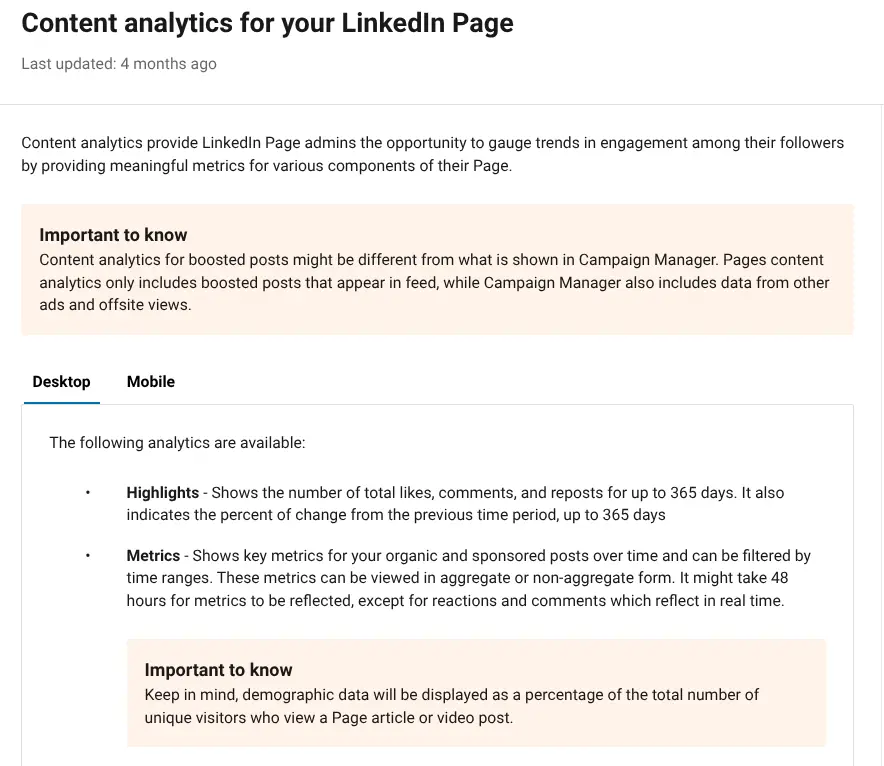
Analysing content data allows you to track fluctuations in engagement and rigorously evaluate the success of individual posts. The intelligence gathered here is vital for pinpointing exactly which content formats resonate most effectively with your target audience.
To maintain a high-performing strategy, you must monitor:
- Impressions: How often your articles and posts were displayed to users.
- Clicks: The number of times your content was interacted with.
- Reactions: The specific professional responses your posts elicited.
- Comments: The volume of dialogue and feedback generated by your updates.
- Shares: The frequency with which your insights were distributed further by your network.
By scrutinising this information, you can determine which content types are yielding the best results and adjust your future strategy to focus on high-yield topics.
Audience Metrics
Knowing the demographics of your LinkedIn target audience can determine the success or failure of how you plan your posts.
Audience demographics show job titles and industries, locations, and seniority levels of those who are following your content and engaging with it.
This shows whether you are connecting with the right people, for example decision-makers in your field, rather than random contacts.
LinkedIn provides detailed demographic breakdowns, including job function and industry, seniority level, company size, and geographical location. You can also see which organisations your followers work for, their responsibilities, and their level within their companies.
If, for instance, you are trying to attract C-level executives but your readership is mainly individual contributors, you may need to adjust your content topics and tone. Likewise, if you are targeting the US market but most of your readers are based elsewhere, consider whether your content resonates with a global audience.
The value of these profile metrics lies in how they combine to form a complete picture of your LinkedIn performance. High profile views and prominent search appearances indicate strong visibility. A growing follower base with the right demographics suggests increasing influence. A high SSI score reflects effective relationship-building on the platform.
Newsletter Metrics
Another important metric to track is the number of people who sign up for newsletters. If you post newsletters on LinkedIn, the number of subscribers is just one part of the equation. To truly gauge success, you must also monitor open rates and click-through rates (CTR).
These figures reveal more than just how many professionals have read your updates; they indicate the specific percentage of readers who were motivated to take further action.
A high CTR is typically a strong signal that your content has resonated sufficiently to prompt a meaningful response, which is why maintaining a close watch on these metrics is vital for any recurring LinkedIn publication.
Lead Analytics
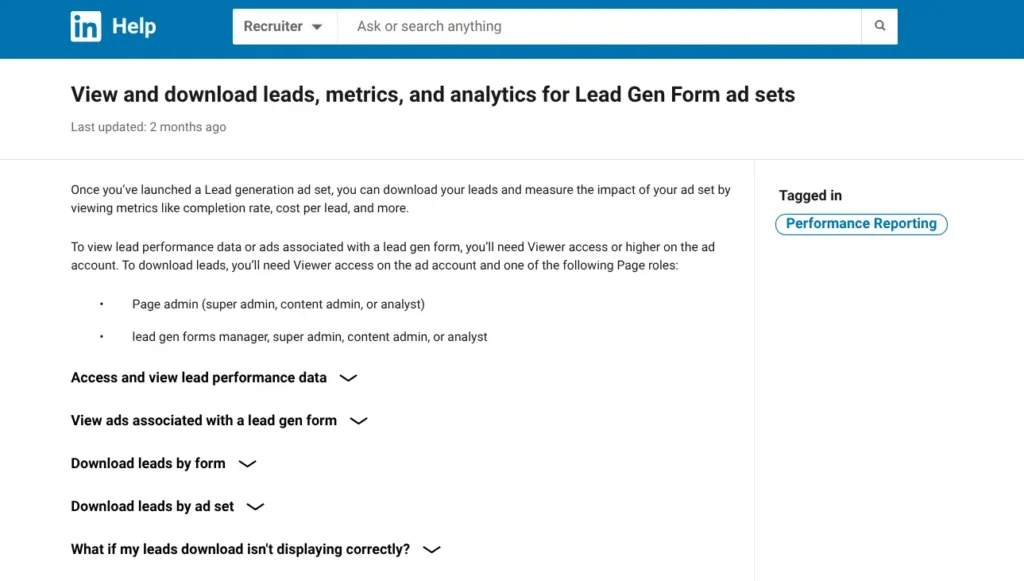
LinkedIn Lead Gen Form campaigns represent one of the most effective methods for acquiring high-quality leads from your target pool of prospective clients. The data generated by these campaigns provides a comprehensive overview of performance, allowing you to fine-tune your lead generation strategy with precision.
To ensure the success of your campaigns, you should prioritise the following metrics:
- Completion Rate: The percentage of individuals who initiated the form and successfully submitted it. A low completion rate may suggest that your form is too lengthy or intrusive.
- Cost per Lead (CPL): The average expenditure required to acquire a single lead via your digital form. This is essential for calculating the overall ROI of your marketing spend.
- Conversion Ratio: This tracks the percentage of users who engaged with the ad and successfully converted into a lead.
- Total Leads: The cumulative quantity of leads generated throughout the duration of the campaign.
- Lead Quality: A qualitative score or metric that assesses the likelihood of a specific lead converting into an actual, long-term client.
- Time to Lead: The duration of time between a professional visiting your landing page and successfully completing the form.
- Lead Source: The specific traffic channel or campaign element that prompted the form submission.
- Device Type: An analysis of whether your prospects are using mobile or desktop devices to submit their details, which can help you optimise your form’s layout.
By utilising the native analytics provided by these lead forms, you can identify which tactics are delivering results and which require adjustment, ultimately allowing you to enhance your campaigns and secure a higher volume of leads.
Get Hot Leads With Our LinkedIn Lead Gen Plan, From £254/mo →
Benefits of LinkedIn Analytics Tools
LinkedIn analytics tools help you make better content decisions, understand who is engaging with your posts, and measure the results of your advertising efforts.
By analysing shares, engagement rates, and comments, you can identify top-performing posts, understand which topics interest your audience, and see when they are most active. Analytics also reveal performance patterns over time, showing which formats work best, such as video versus text.
These tools make it easier to test different content types and compare results, helping you align future content with your goals, whether brand awareness or website clicks. Demographic data, including job title, industry, and company size, shows whether you are reaching the right audience.
Engagement metrics highlight who actively comments, shares, or reacts to your content. Real-time monitoring allows you to respond quickly to rising or falling engagement, identify trending topics, and determine which days and times perform best.
LinkedIn analytics also enable you to track campaigns from start to finish, measure click-throughs, impressions, and conversions, and evaluate ROI by linking activity to results. Comparing campaigns helps you plan time and budget more effectively for future efforts. This information lets you plan your time and budget more efficiently for future campaigns.
Selecting the Ideal LinkedIn Analytics Tool
Choosing the right tool starts with a clear understanding of your objectives and budget. It is important to ensure the tool’s features align with your tracking needs and that the data provided is accurate.
Begin by identifying what you want to measure, such as personal brand growth, performance of company pages, or employee engagement. Your goals will determine which features matter most. Team size and workflow are also important considerations, as individual creators and large marketing teams require different functionality.
Key metrics to look for include post views, engagement rates, follower demographics, and click-through rates, which most tools cover. Free tools usually provide clear, native LinkedIn analytics, while paid options may offer benchmarking, scheduling, advanced reporting, and deeper audience insights.
Check whether the tool supports both personal profiles and company pages, and whether it allows data exports for reporting. Reviewing the interface through a trial can help ensure ease of use, as a complex dashboard can be frustrating.
Finally, data accuracy is critical. Reliable tools draw directly from LinkedIn’s official data. Compare results with LinkedIn’s built-in analytics and review user feedback to identify any issues with consistency, syncing, or data reliability.
Final Thoughts
Consistently monitoring LinkedIn analytics is the only way to truly amplify your presence on the platform. By developing a deep understanding of your followers and campaign performance, you can design more effective strategies and ensure your marketing budget is invested where it will have the greatest impact.
Use this data-driven knowledge to engage your audience, strengthen your brand authority, and cultivate a loyal base of clients.
Next Steps
100 Pound Social specialises in creating professional LinkedIn content that builds your authority and promotes your events effectively to potential clients. Our UK-based team understands small business marketing and can create engaging posts that drive event registrations while maintaining your professional presence between events.
If you’re looking to maximise ROI from your LinkedIn outreach, take a look at how we can help. We’ll keep your profile working while you focus on the bigger picture.
→ Join a LinkedIn Lead Gen demo to see how it works
→ Find out more about our Social Media Posts Plans with this 15-min demo